

Prompt overview
-
Creates a full monthly budget that separates needs, wants, and savings so totals make sense and are easy to follow.
-
Best for college students, early‑career professionals, or anyone who wants a clean budget with quick tips.
-
Stands out by asking for the right inputs first, then producing a compact table and short tips to keep habits on track.
Quick Specs
- Media: Text
- Use case: Monthly budget creation
- Techniques: Behavioral economics, 50/30/20 framework
- Models: Budgeting, Financial planning
- Estimated time: 10-20 minutes
- Skill level: Intermediate
Variables to fill
-
Income after tax (USD): {income}
-
Expense list (name: amount in USD): {expenses}
-
Financial goals (short and long term): {goals}
-
Current savings (USD): {savings}
-
Biggest budgeting challenges: {challenges}
Example variables block (copy and edit)
-
{income}: 3500
-
{expenses}: rent 1200; groceries 300; utilities 150; transport 180; phone 60; insurance 140; subscriptions 45; entertainment 200
-
{goals}: save for house down payment; pay off student loans
-
{savings}: 5000
-
{challenges}: high dining out; small emergency fund
Prompt template:
Act as an expert personal finance advisor and budget strategist who combines behavioral economics with practical money systems. Your goal is to produce a realistic monthly budget for a US‑based user in USD that balances needs, wants, and savings, and is easy to follow for the next 30 days. Inputs
– Monthly income (after tax, USD): [income]
– Expenses (name: amount in USD): [expenses]
– Financial goals: [goals]
– Current savings (USD): [savings]
– Biggest challenges: [challenges]
Process
1. Restate inputs briefly to confirm understanding.
2. Classify each expense as Fixed, Variable Necessity, or Discretionary.
3. Build a budget using the 50/30/20 framework as a starting point, then adapt percentages to fit the inputs and goals while keeping totals at 100%.
4. Identify 2–4 optimization ideas that do not reduce essential coverage.
5. Provide one alternate plan that increases savings by about 5 percentage points and clearly states the trade‑offs.
Output format (return this only) A) Markdown table with columns: Category | Items | Allocated Amount (USD) | Percent of Income | Monitoring Tip
– Categories must roll up to: Needs, Wants, Savings/Debt.
– Group minor items so the table has 8–12 rows total.
B) Under the table, output exactly 5 bullets in this order:
– Savings target per month (USD)
– Top 3 optimization ideas (concise)
– Risks or watchouts (seasonal bills, renewals, etc.)
– 30‑day routine (weekly check‑ins, mid‑month reforecast)
– Alternate plan summary (+5% savings and trade‑offs)
Rules
– Use USD formatting (e.g., $1,200).
– Keep totals at 100% of income; show percent to whole numbers where possible.
– Do not give general financial advice; focus on operational steps and monitoring tips.
– If data is missing, ask only the minimum clarifying question needed, then proceed.
– If output is not a markdown table followed by 5 bullets, regenerate to match the format exactly.
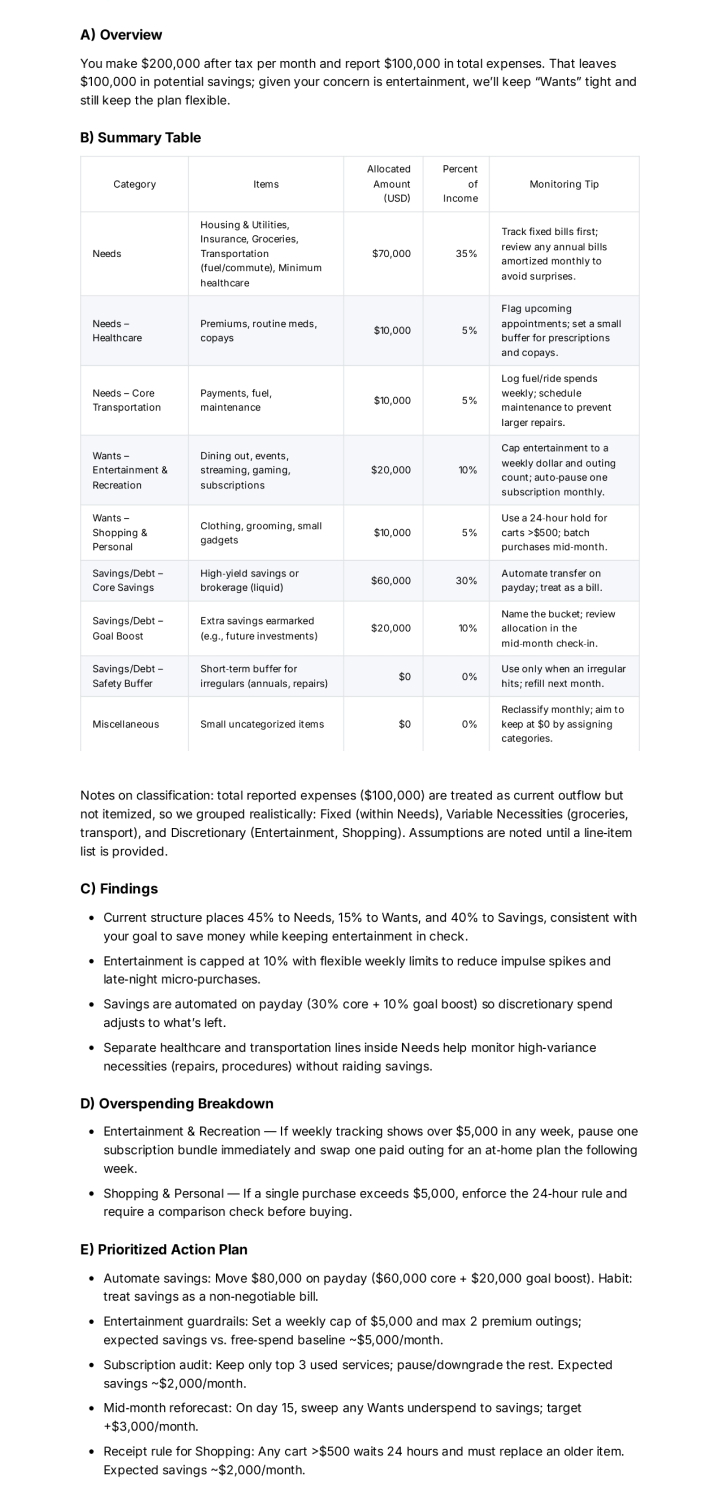
Sample Output:
How to use
-
Replace the variables with real numbers in USD.
-
Paste the prompt into the suggested model and run it.
-
Check if the totals equal 100% and if the tips match real life.
-
Adjust any category caps that feel too tight and save a copy.
FAQ
-
What is the 50/30/20 rule?
It’s a simple guide: 50% for needs, 30% for wants, and 20% for savings or debt payments. -
Can this work if income changes each month?
Yes. Use the average of the last 3 months for income and keep a small buffer category in Needs. -
How often should the budget be updated?
Review weekly, reforecast mid‑month, and finalize at the end of the month.
Compliance and notes
-
This template is educational and not financial advice. For personal advice, consider a licensed professional.
-
Do not paste private or sensitive information into public tools.
Revision history
-
v1.1 – Refined output schema, added alternate +5% savings plan – 2025‑10‑12
