

Overview
This prompt aims to create a dynamic Advent Calendar script focused on the “Venture” theme for December 2025. Programmers and developers seeking to enhance user engagement through interactive experiences will benefit from this guidance.
Prompt Overview
Purpose: This script creates an engaging Advent Calendar experience themed around “Venture” for December 2025.
Audience: It is designed for users interested in entrepreneurship, exploration, and personal growth during the holiday season.
Distinctive Feature: Each day reveals a unique message or challenge, unlocking dynamically based on the calendar date.
Outcome: Users will engage with daily activities that inspire and motivate them to explore new ventures throughout December.
Quick Specs
- Media: Text
- Use case: Interactive advent calendar
- Techniques: Dynamic unlocking, user interface
- Models: JavaScript, Python
- Estimated time: 2 weeks
- Skill level: Intermediate
Variables to Fill
No inputs required — just copy and use the prompt.
Example Variables Block
No example values needed for this prompt.
The Prompt
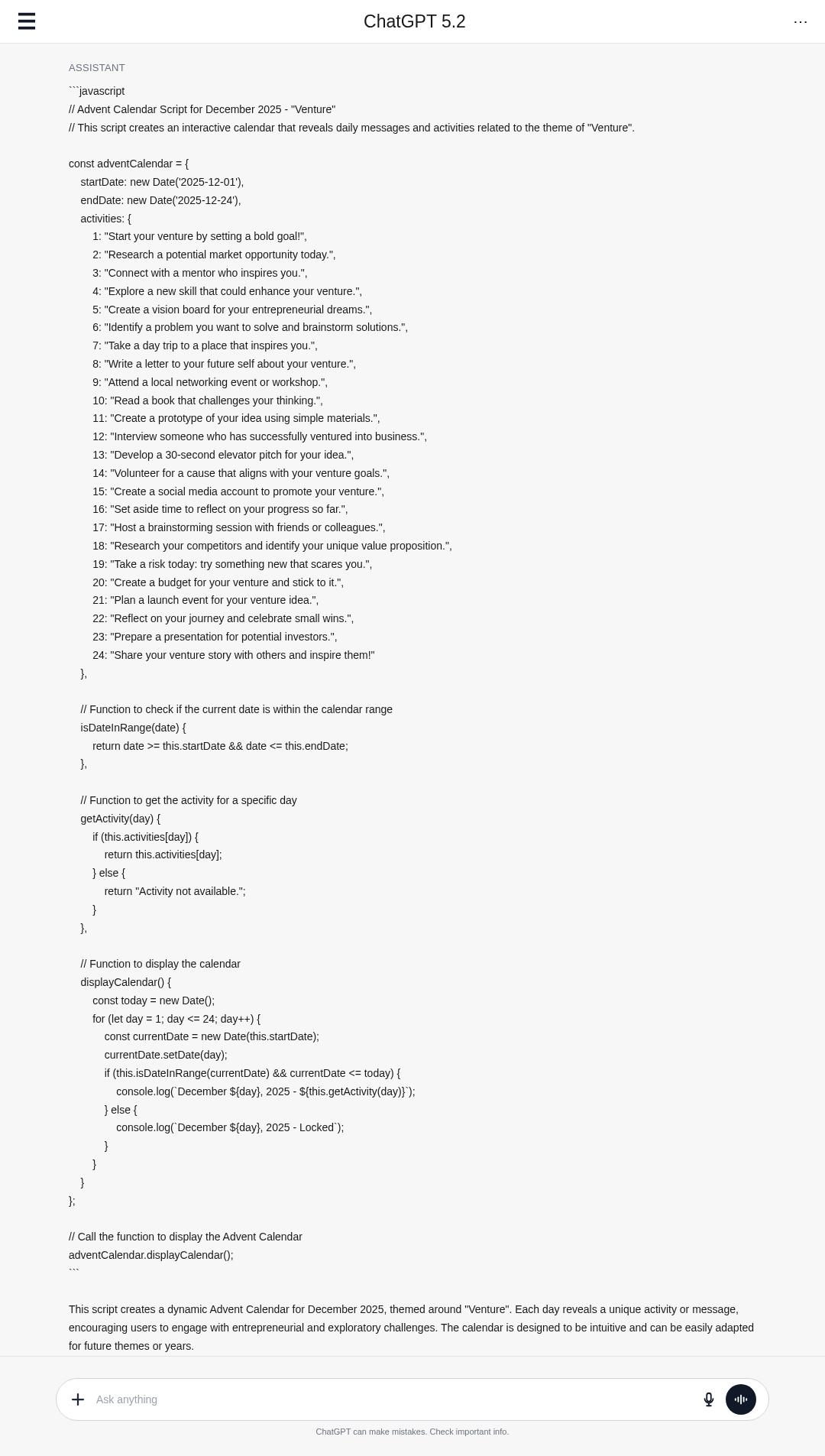
Create an advanced Advent Calendar script for December 2025, themed around “Venture”. The calendar should provide a unique daily experience or reveal for each day from December 1st to December 24th, 2025.
**Details:**
– Include a brief, engaging daily message, activity, or challenge related to the “Venture” theme.
– Implement dynamic unlocking: each day becomes available only on or after its calendar date.
– Ensure usability for end-users with a clear and intuitive interface or navigation.
– Use a format compatible with web or app integration (e.g., JavaScript or Python script) that can reveal daily content appropriately.
– Include comments in the code explaining key parts and how to customize the content for each day.
**Steps:**
1. Define the date range and ensure the calendar runs from December 1-24, 2025.
2. For each date, create a themed message or activity related to “Venture”.
3. Implement date checking to disable future days and enable current/past days.
4. Provide a user interface simulation or code that displays the calendar and daily content.
**Output Format:**
– Provide the full script code with comments.
– Include sample content for each day demonstrating the “Venture” theme.
**Example:**
“`
// December 1, 2025 – “Start your venture by setting a bold goal!”
// December 2, 2025 – “Research a potential market opportunity today.”
“`
**Notes:**
– Focus on creating an engaging experience centered on entrepreneurship, exploration, or adventure fitting the “Venture” theme.
– The solution should be easily adaptable for future years or different themes.
Screenshot Examples
▲ Collapse image
How to Use This Prompt
- Copy the prompt provided above.
- Paste the prompt into your coding environment.
- Follow the steps outlined to create the calendar.
- Customize daily messages with your own “Venture” themes.
- Test the script to ensure proper date unlocking functionality.
- Integrate the script into your web or app platform.
Tips for Best Results
- Set Your Goals: Define a bold venture goal for the month.
- Market Research: Explore a potential market opportunity today.
- Networking Challenge: Connect with someone in your field.
- Reflect and Adapt: Review your progress and adjust your plans.
FAQ
- What is an Advent Calendar?
An Advent Calendar counts down the days to Christmas, revealing surprises each day. - How can I create a dynamic Advent Calendar?
Use programming to unlock daily content based on the current date, ensuring past days are accessible. - What themes can I use for an Advent Calendar?
Themes like 'Venture', 'Adventure', or 'Exploration' can inspire engaging daily activities. - How do I customize daily messages?
Edit the content for each day in your script to reflect your chosen theme and activities.
Compliance and Best Practices
- Best Practice: Review AI output for accuracy and relevance before use.
- Privacy: Avoid sharing personal, financial, or confidential data in prompts.
- Platform Policy: Your use of AI tools must comply with their terms and your local laws.
Revision History
- Version 1.0 (February 2026): Initial release.
