

Overview
This prompt aims to guide developers in creating a script for the game “Adopt Me!” that manages furniture data. Programmers and game developers will benefit from the structured tasks outlined for efficient coding.
Prompt Overview
Purpose: This script automates the scanning and processing of furniture data in “Adopt Me!” for easy storage and sharing.
Audience: It is designed for game developers and players interested in managing their in-game furniture efficiently.
Distinctive Feature: The script connects to an API for seamless data transfer and supports various furniture attributes like scale and color.
Outcome: Users will have a formatted dataset ready for sharing or storage, enhancing their gaming experience.
Quick Specs
- Media: Text
- Use case: Generation
- Industry: Development Tools & DevOps, Property Development, Warehousing & Distribution
- Techniques: Function Calling / Tool Use, Role/Persona Prompting, Structured Output
- Models: Claude 3.5 Sonnet, Gemini 2.0 Flash, GPT-4o, Llama 3.1 70B
- Estimated time: 5-10 minutes
- Skill level: Intermediate
Variables to Fill
No inputs required — just copy and use the prompt.
Example Variables Block
No example values needed for this prompt.
The Prompt
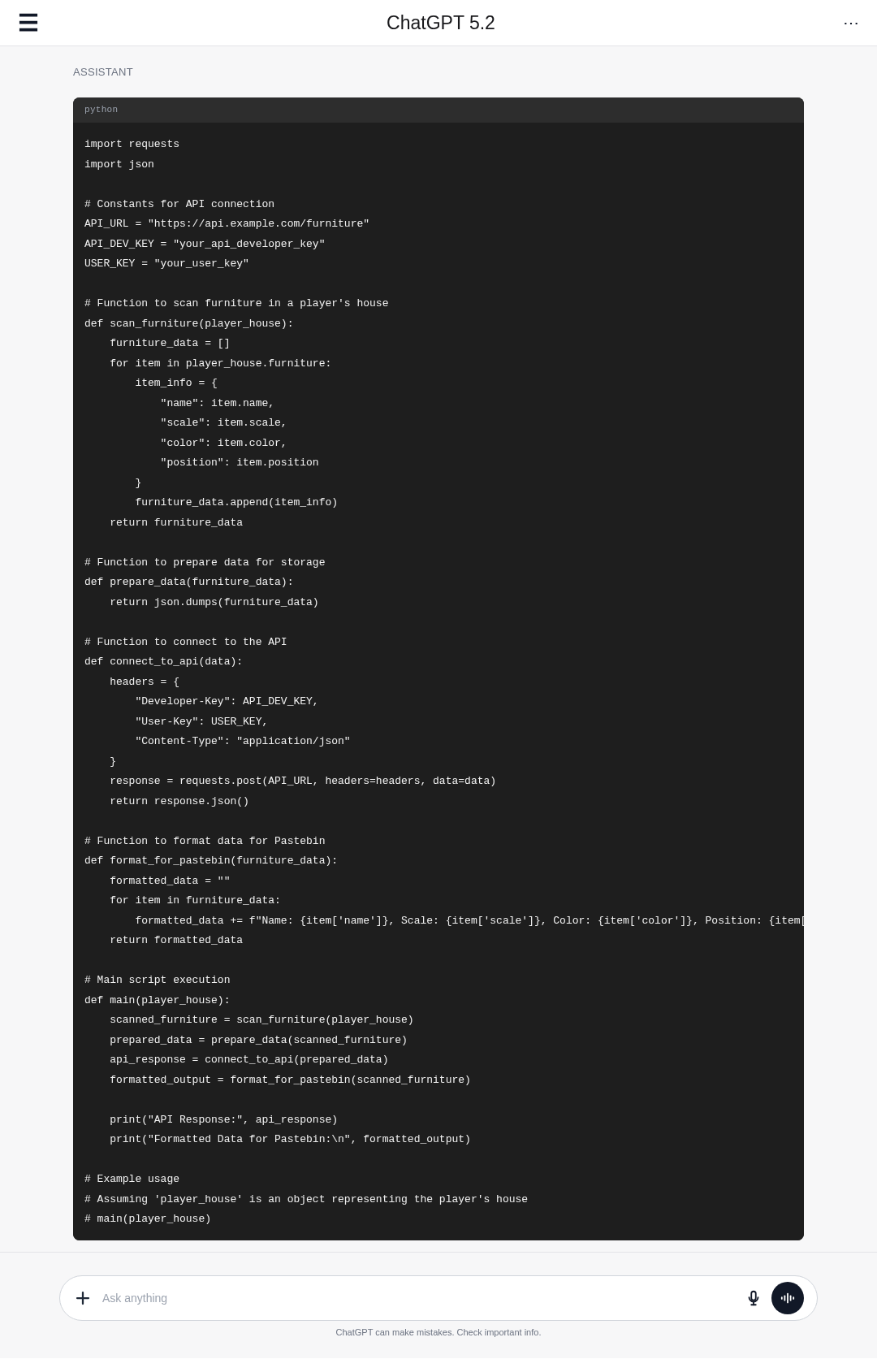
Create a script for the game “Adopt Me!” that performs the following tasks:
1. Scan Furniture:
– Scan furniture in a player’s house.
– Retrieve detailed information about each furniture item.
2. Data Preparation:
– Prepare the scanned data for storage.
3. API Connection:
– Connect to a specified API using:
– API developer key
– User key
4. Data Formatting:
– Format the scanned furniture data for pasting into a service like Pastebin.
5. Attribute Handling:
– Ensure the script can handle various furniture attributes, including:
– Scale
– Color
– Positioning
Screenshot Examples
▲ Collapse image
How to Use This Prompt
- Copy the prompt provided above.
- Open your preferred coding environment.
- Paste the prompt into a new script file.
- Modify the script as needed for your game.
- Test the script in “Adopt Me!” for functionality.
- Debug any issues that arise during testing.
Tips for Best Results
- Scan Furniture: Use a loop to iterate through each furniture item in the player’s house and collect attributes like name, type, and unique identifiers.
- Data Preparation: Organize the scanned data into a structured format, such as a JSON object, to facilitate easy storage and retrieval.
- API Connection: Implement a function to authenticate and connect to the API using the provided developer key and user key for secure data transmission.
- Data Formatting: Convert the structured data into a string format suitable for Pastebin, ensuring proper escaping of special characters.
FAQ
- What is the purpose of scanning furniture in Adopt Me?
To retrieve detailed information about each furniture item in a player's house. - How is the scanned data prepared for storage?
The data is organized and formatted to ensure efficient storage and retrieval. - What is needed to connect to the specified API?
An API developer key and a user key are required for the connection. - What attributes should the script handle for furniture?
The script should handle scale, color, and positioning attributes of the furniture.
Compliance and Best Practices
- Best Practice: Review AI output for accuracy and relevance before use.
- Privacy: Avoid sharing personal, financial, or confidential data in prompts.
- Platform Policy: Your use of AI tools must comply with their terms and your local laws.
Revision History
- Version 1.0 (February 2026): Initial release.
