

Overview
This prompt aims to create a visually stunning cinematic image for fashion and lifestyle brands. Photographers and marketers will benefit from the detailed specifications for capturing the scene.
Prompt Overview
Purpose: This image aims to evoke a cinematic lifestyle, showcasing beauty and fashion in a vibrant setting.
Audience: Targeted towards fashion enthusiasts and filmmakers seeking inspiration for visual storytelling.
Distinctive Feature: The ultra-realistic portrayal emphasizes light dynamics, enhancing the model’s features and the alleyway’s ambiance.
Outcome: Viewers will feel immersed in the scene, appreciating the artistry of both the model and the environment.
Quick Specs
- Media: Image
- Use case: Creative Concepts, Generation
- Industry: Content & Media Creation, Content Creation & Influencer Marketing, Film & Television Production
- Techniques: Zero-Shot Prompting
- Models: DALL·E 3, Midjourney V6
- Estimated time: 5-15 minutes
- Skill level: Beginner
Variables to Fill
- MODEL_DESCRIPTION
- HAIRSTYLE
- PRODUCT_ATTACHED_CLOTHING
- LOCATION_SETTING
- HIGHLIGHT_TONE
Example Variables Block
- MODEL_DESCRIPTION: latin female model
- HAIRSTYLE: lode free hair
- PRODUCT_ATTACHED_CLOTHING : a top and bottom with blazer
- LOCATION_SETTING: street corner
- HIGHLIGHT_TONE: clothing and model
1.The Prompt
Render an ultra-realistic image of a [MODEL_DESCRIPTION] model with [HAIRSTYLE], wearing [PRODUCT_ATTACHED_CLOTHING], walking through a [LOCATION_SETTING]. Capture at [CAMERA_SPEC] ([LENS_LENGTH]), [LIGHTING_DIRECTION] cutting across her [SUBJECT_FOCUS]. Maintain [ACCURACY_LEVEL] in [OPTICAL_EFFECTS]. Color grading: [HIGHLIGHT_TONE] highlights with [SHADOW_TONE] shadows, true cinematic tone.
Example
Render an ultra-realistic image of a model as [attached reference model image] with soft waves tucked behind one ear, wearing a [attached product dress as it is ]with a cinched waist, walking through a neon-lit upscale city street at night. Capture at low-angle moving shot (50mm), rim lighting cutting across her silhouette and jawline. Maintain high-fidelity realism in reflections and depth falloff. Color grading: cool pearl highlights with inky blue-black shadows, true cinematic tone.
Input:
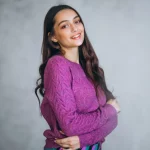
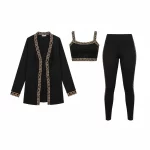
Output :
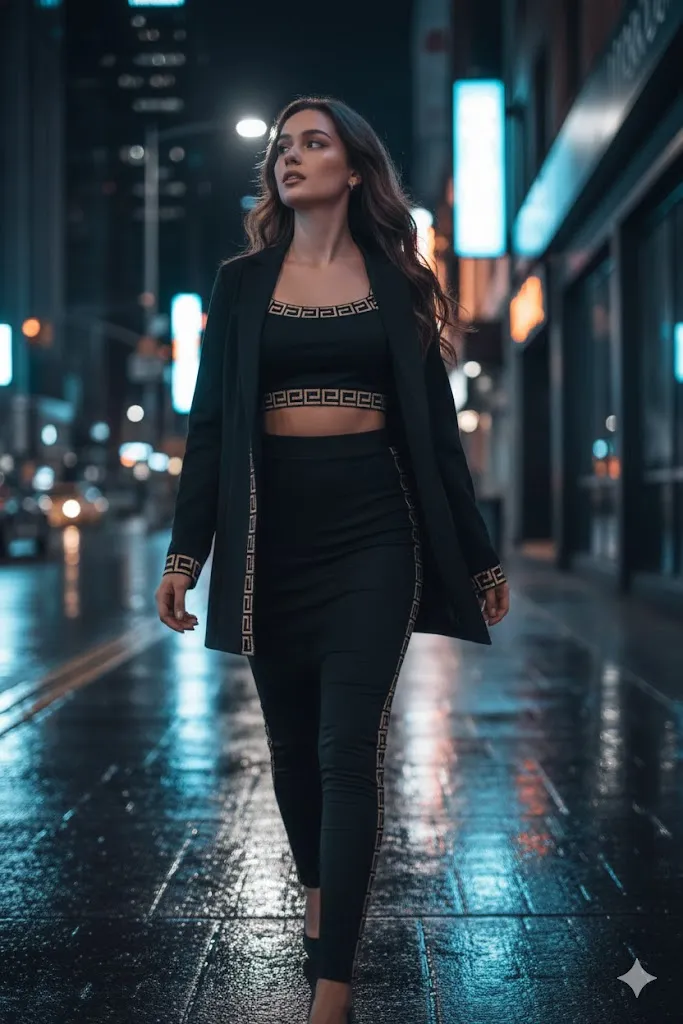
2.The Prompt
Create an ultra-realistic fashion editorial image based on [PRODUCT_ATTACHED_OUTFIT]. The outfit should maintain the same design, color, and texture. Depict a [MODEL_TYPE] woman standing on [LOCATION_ARCHITECTURAL_SETTING] under [SKY_CONDITION], [POSE_DESCRIPTION], [STYLE_AESTHETIC] street style, [HAIRSTYLE], [MAKEUP_STYLE], [LIGHTING_QUALITY] casting soft shadows, [COMPOSITIONAL_ELEMENTS] in the background, [COLOR_TONE] cinematic tone, [CAMERA_SPEC] lens photography, [VIBE_AESTHETIC]-style aesthetic, ultra-detailed fabric texture and lighting.
Example
Create an ultra-realistic fashion editorial image based on [PRODUCT ATTACHED OUTFIT]. The outfit should maintain the same design, color, and texture. Depict a [reference model as attached] woman standing on a heritage red fourt courtyard under soft golden-hour sky, elegant relaxed pose, luxury minimal street style, sleek leave her hair loosely with a center part as shown in attached image, natural luminous makeup, warm cinematic lighting casting soft shadows, arched doorways and textured stone depth in the background, warm honey-gold cinematic tone, 85mm lens photography, heritage couture-style aesthetic, ultra-detailed fabric texture and lighting.
Input:
Output:
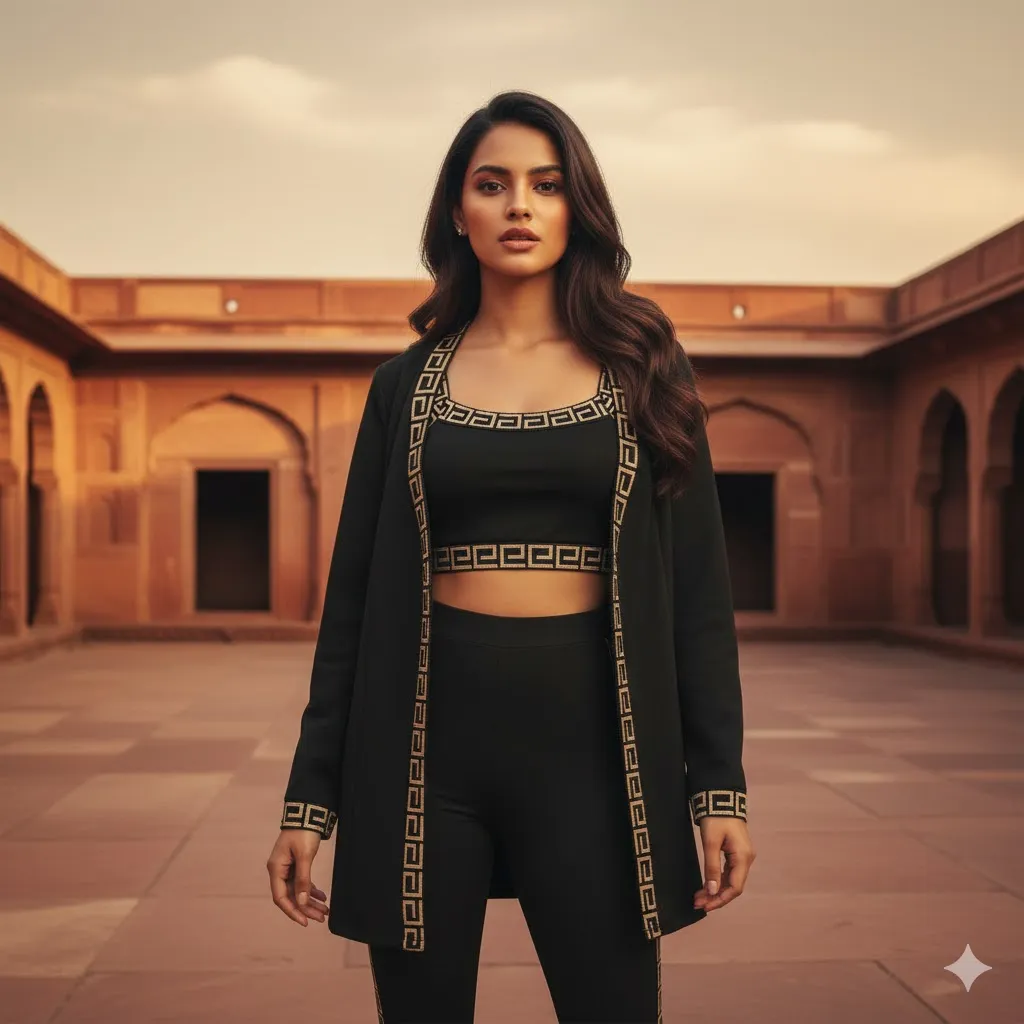
How to Use This Prompt
- Copy the prompt provided above.
- Paste the prompt into your preferred AI image generator.
- Ensure all details are included for accuracy.
- Adjust settings for ultra-realistic rendering if available.
- Initiate the rendering process and wait for the image.
- Review the generated image for desired quality and details.
Tips for Best Results
- Lighting Matters: Use natural light to create depth and warmth in your shots.
- Focus on Details: Pay attention to hair texture and fabric movement for realism.
- Color Grading: Apply rich amber tones to enhance the cinematic feel.
- Composition is Key: Frame your subject to utilize leading lines in the alleyway.
FAQ
- What is cinematic lifestyle photography?
Cinematic lifestyle photography captures real-life moments with a film-like quality, emphasizing emotion and storytelling. - How to achieve ultra-realistic images?
Use high-quality equipment, proper lighting, and post-processing techniques to enhance realism and detail. - What role does lighting play in photography?
Lighting shapes mood, highlights subjects, and creates depth, significantly impacting the overall image quality. - Why is color grading important in photography?
Color grading enhances visual storytelling, sets the tone, and can evoke specific emotions in viewers.
Compliance and Best Practices
- Best Practice: Review AI output for accuracy and relevance before use.
- Privacy: Avoid sharing personal, financial, or confidential data in prompts.
- Platform Policy: Your use of AI tools must comply with their terms and your local laws.
Revision History
- Version 1.0 (January 2026): Initial release.
