

Overview
This prompt guides users in re-rendering an image while maintaining specific visual elements. E-commerce professionals and designers will benefit from enhanced product presentation.
Prompt Overview
Purpose: This re-render aims to provide a new perspective on the e-commerce scene.
Audience: The intended audience includes e-commerce professionals and visual marketers seeking innovative imagery.
Distinctive Feature: The elevated aerial view offers a broader context while keeping the focus on key subjects.
Outcome: The result is a dynamic image that enhances visual storytelling for e-commerce applications.
Quick Specs
- Media: Image
- Use case: Format Conversion, Transformation
- Industry: Content & Media Creation, E-Commerce Platforms & Marketplaces
- Techniques: Self-Consistency
- Models: DALL·E 3, Midjourney V6
- Estimated time: 10-20 minutes
- Skill level: Intermediate
Variables to Fill
- [camera_position] – Camera Position
- [camera_angle] – Camera Angle
- [framing] – Framing
- [subject_focus] – Subject Focus
Example Variables Block
- [camera_position]: elevated aerial view
- [camera_angle]: forward-facing angle
- [framing]: wide shot
- [subject_focus]: main subject in center
The Prompt
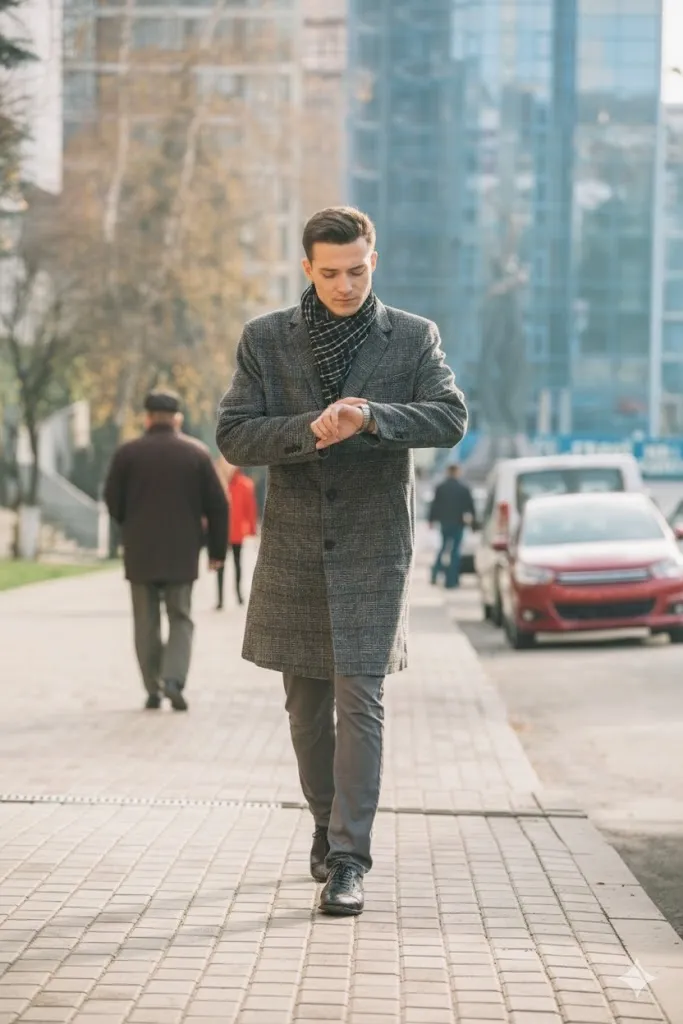
SLIGHTLY HIGHER ANGLE
Use the uploaded image as the single source of truth. Treat the scene as frozen. Re-render the image by changing the [camera_position] to an elevated aerial height while maintaining a forward-facing [camera_angle] (not top-down). Keep the [framing] wide and preserve the same [subject_focus]. All subjects, objects, environment, lighting, and orientation must remain unchanged. Only the camera position and angle may change.
Input:

Output:
The Prompt
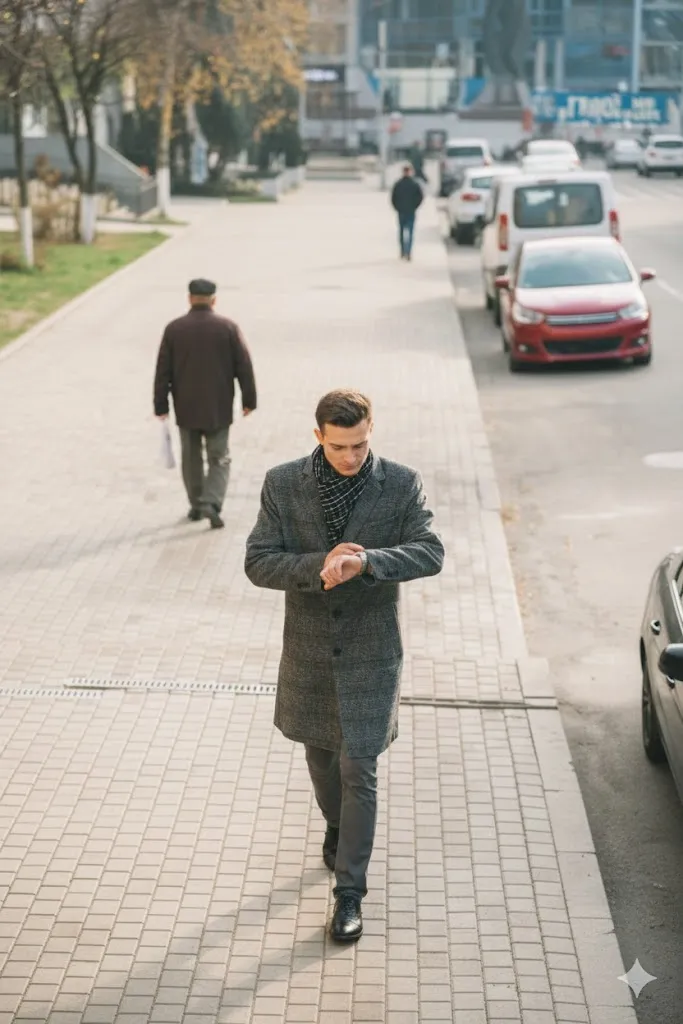
TILT UP
Use the uploaded image as the single source of truth. Re-render the same scene by slightly lowering the camera and tilting it upward. The subject must remain facing the same direction and keep the same pose and orientation. Do not rotate or reorient the subject. Only adjust camera height and tilt.
Input:
Output:
The Prompt
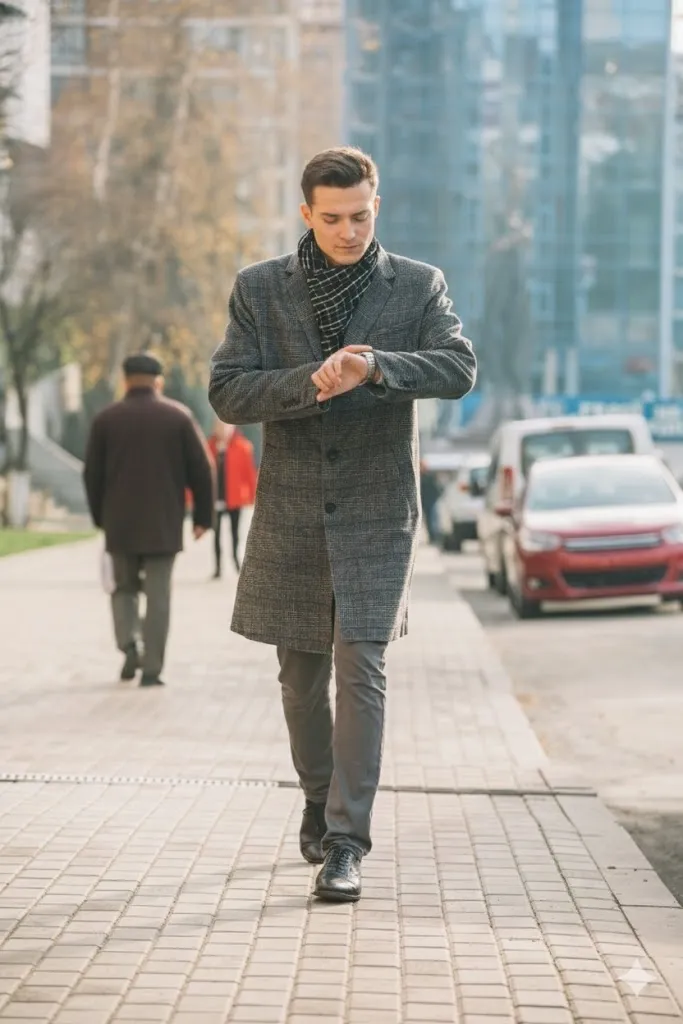
NEAR THE FEET
Use the uploaded image as the single source of truth. Treat the entire scene as frozen. Re-render the image from a very low camera position near the feet, looking upward along the same visible side of the subject. Do not rotate or reposition the subject. Only the camera height, angle, and framing change.
Input:
Output:
The Prompt
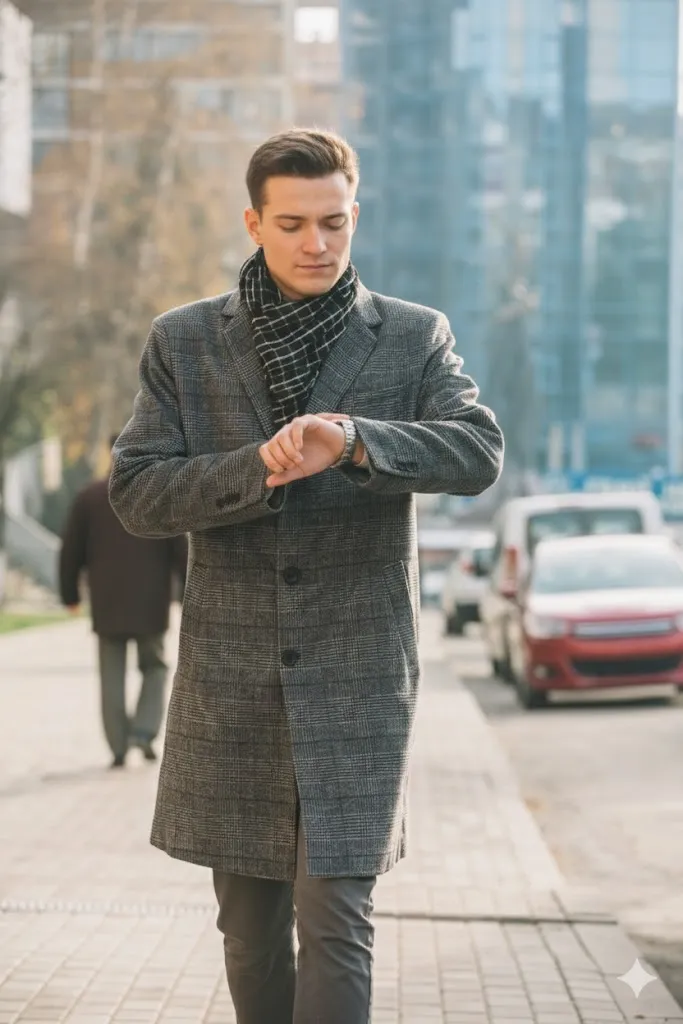
AERIAL OBLIQUE
Use the uploaded image as the single source of truth. Treat the scene as frozen. Re-render the image by elevating the camera to an aerial position while keeping a forward-facing oblique angle (not straight down). All elements remain fixed. Only the camera position changes.
Input:
Output:
The Prompt
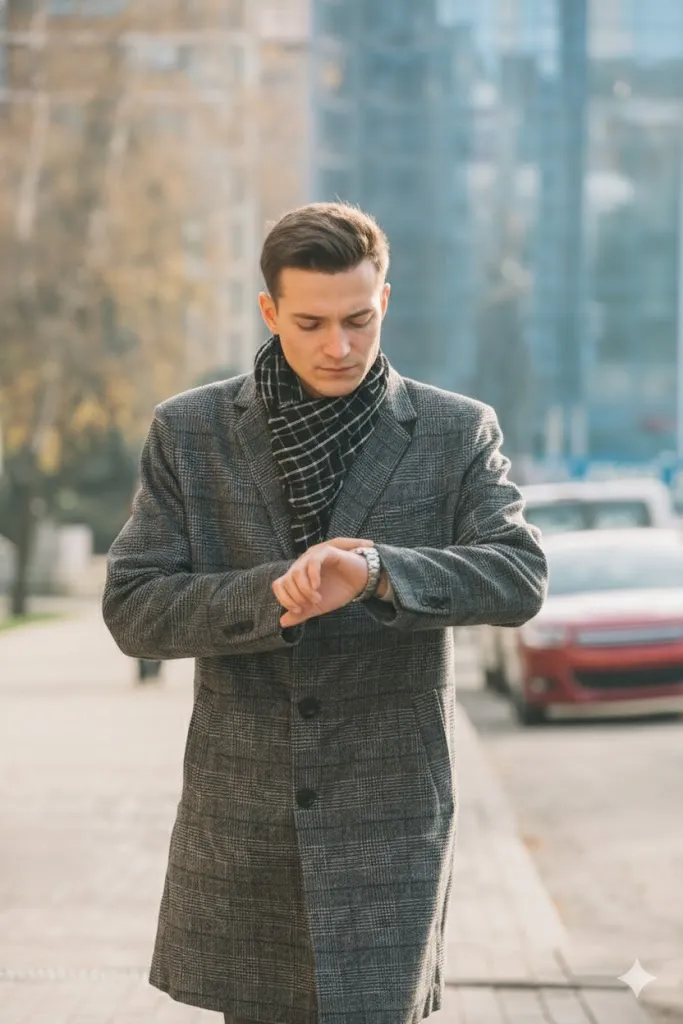
ZOOMED-IN SHOT
Use the uploaded image as the single source of truth. Treat the entire scene as frozen. Re-render the image by moving the camera closer to create a zoomed-in shot focused on the subject’s face, while keeping the same viewing direction and orientation. Do not rotate, re-pose, or reorient the subject. Do not change clothing, expression, environment, or lighting. Only the camera distance and framing change.
Input:
Output:
The Prompt
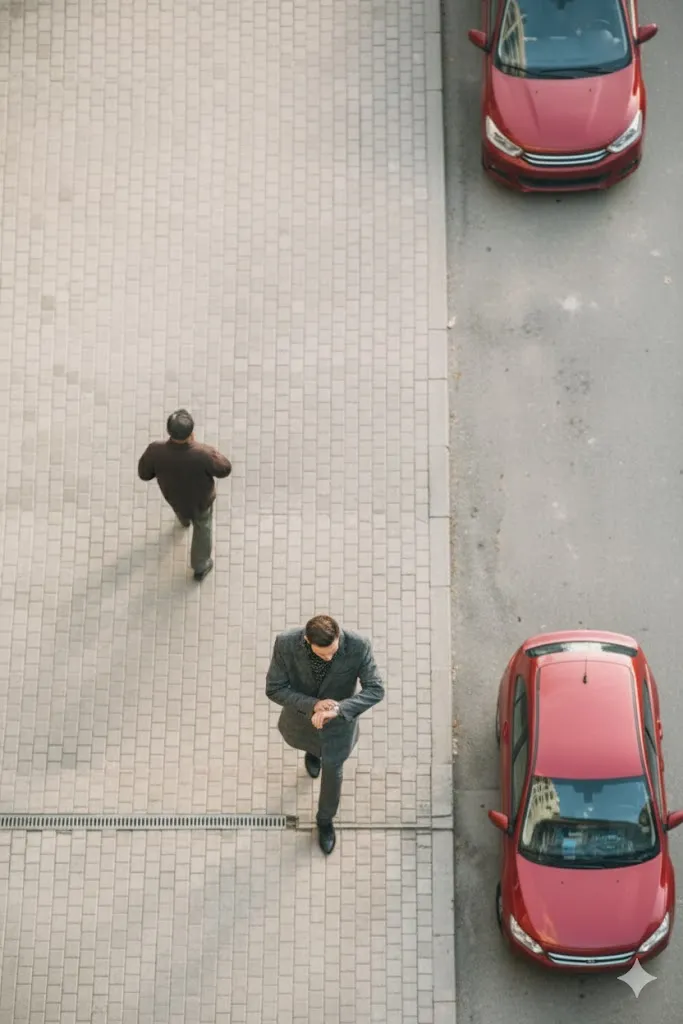
TOP-DOWN
Use the uploaded image as the single source of truth. Treat the scene as frozen. Re-render the image by moving the camera directly above the scene and pointing it straight down at 90 degrees. The subject and environment must remain unchanged. Only the camera position changes.
Input:
Output:
The Prompt
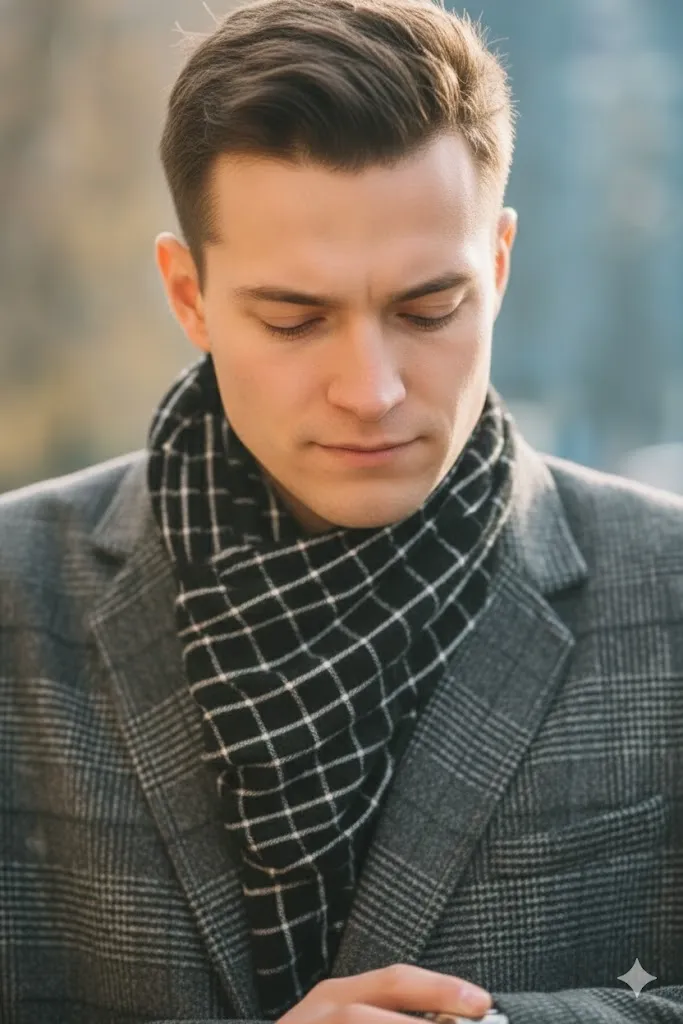
TIGHT FACE CLOSE UP
Use the uploaded image as the single source of truth. Treat the entire scene as frozen. Re-render the image as a tight close-up framing of the subject’s face only. Keep the same viewing direction, head orientation, expression, and lighting. Do not rotate, re-pose, or reorient the subject. Do not change any elements. Only the camera distance and framing change to tightly crop around the face.
Input:
Output:
How to Use This Prompt
- [camera_position]: Elevated aerial height for perspective.
- [camera_angle]: Forward-facing angle, not top-down.
- [framing]: Wide framing to capture scene.
- [subject_focus]: Maintain focus on key subjects.
- [subjects]: All subjects remain unchanged.
- [objects]: Environment objects stay the same.
- [lighting]: Preserve existing lighting conditions.
- [orientation]: Keep orientation consistent with original.
Tips for Best Results
- Elevate Your Perspective: Adjust your camera position to an aerial height for a broader view.
- Maintain Focus: Keep the subject in focus while changing the angle to ensure clarity.
- Wide Framing: Use a wide framing to capture the entire scene without losing detail.
- Consistent Lighting: Ensure that the lighting remains unchanged to preserve the scene’s mood.
FAQ
- What is the main focus of the scene?
The main focus is the e-commerce products displayed in an organized manner. - How should the camera angle be adjusted?
The camera angle should remain forward-facing but elevated for a wider view. - What should remain unchanged in the scene?
All subjects, objects, environment, lighting, and orientation must remain unchanged. - What framing should be used for the re-render?
The framing should be wide to capture the entire scene effectively.
Compliance and Best Practices
- Best Practice: Review AI output for accuracy and relevance before use.
- Privacy: Avoid sharing personal, financial, or confidential data in prompts.
- Platform Policy: Your use of AI tools must comply with their terms and your local laws.
Revision History
- Version 1.0 (January 2026): Initial release.
